
APACTechBriefing | Googlebook November 2026 Update: What 3GB-6GB Memory Release Means for 16GB APAC Fleets
Googlebook's November 2026 update reduces on-device AI memory use and can free about 3GB to 6GB, making the Chrome browser and multitasking steadier on 16GB memory models such as Acer Googlebook 14, ASUS Googlebook 14 and Lenovo Googlebook 15. The build is CL3B.260622.286.R2, includes the November 1, 2026 security patch, and addresses about 30 issues.
For Asia-Pacific digital teams, the update matters less as a new AI feature and more as a capacity-control signal. It shows that local AI is becoming a background workload that must be managed with the same discipline as browsers, video calls and security patches. The practical result is fewer memory fights when AI, Chrome browser tabs and enterprise collaboration tools run at the same time.
What changed in Googlebook’s November 2026 update?
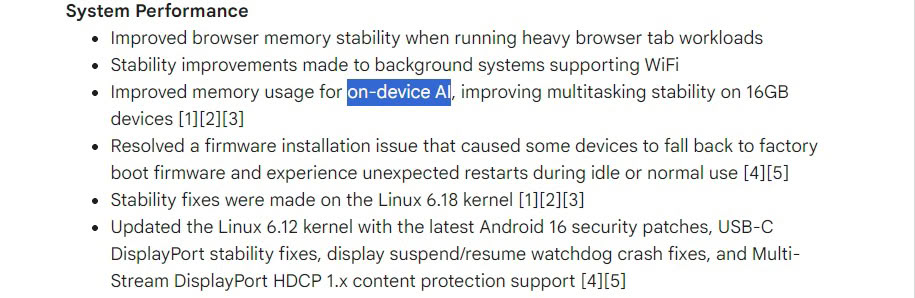
Google’s Reddit update note describes the November release as a bug-fix and stability package whose most visible change is memory management for on-device AI. The core mechanism is a revised NPU driver memory policy. Once the local AI stack is not holding a large fixed slice of RAM, the OS can reclaim memory when an application such as the Chrome browser needs it. Google said the improvement can free around 3GB to 6GB, although official help documentation did not state a specific capacity.
That distinction is important for APAC readers who rely on vendor marketing numbers. The headline range is useful as an engineering signal, but real-world benefit will vary by model, workload and installed applications. A 16GB memory machine is still not a 24GB or 32GB machine, yet recovering up to 6GB memory can change whether a heavy browser session feels usable or degraded.
Why does 3GB to 6GB matter for Asia-Pacific fleets?
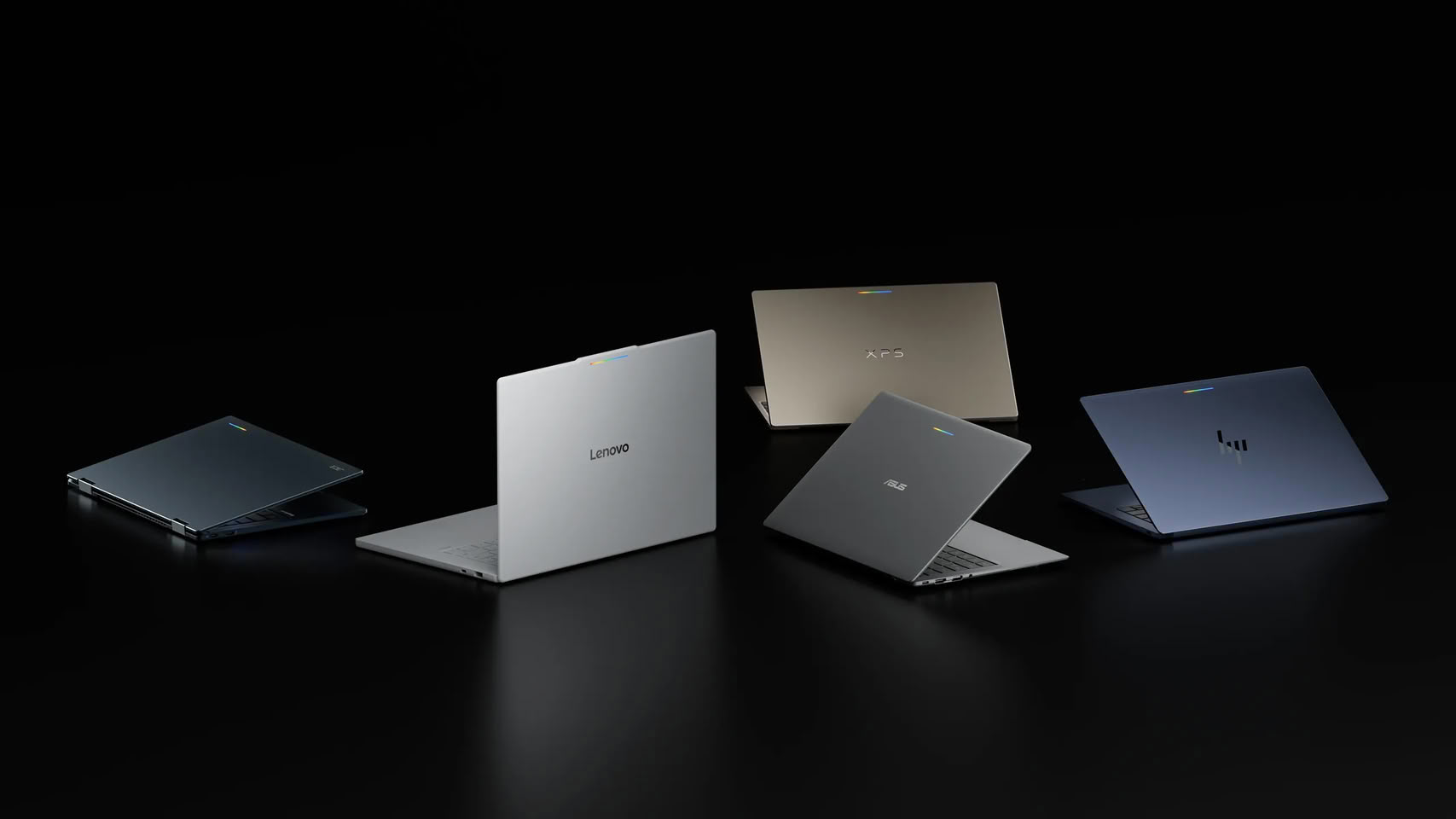
The three beneficiary models named by Google, Acer Googlebook 14, ASUS Googlebook 14 and Lenovo Googlebook 15, all sit in the 16GB memory class. Google's stated range implies that up to more than one-third of system memory may return to general workloads under the new policy. For a user who keeps Zoom, Google Docs, many browser tabs and local AI assistive features open at once, that headroom is the difference between steady responsiveness and frequent reloads.
According to Android Authority, the November package also links the freed memory to smoother multitasking, including fewer tab reloads and fewer crashes under heavy loads. That is a useful operational clue: the update is not simply promising faster AI; it is trying to make the operating system behave better when AI competes for resources. For APAC firms deploying Googlebook to frontline offices, classrooms, retail back offices and field teams, reduced reloads can translate into fewer support tickets and less interruption during business hours.
Which fixes make this release feel like a productivity update?
The release goes beyond AI memory. It also repairs input, media, audio and terminal issues that can stop devices in meetings, training rooms and developer workflows.
- Two-in-one keyboards and touchpads: fixes intermittent input failure on convertible devices, a direct fit for Asia-Pacific classrooms and hybrid workspaces.
- External displays: addresses black screens when DRM-protected video plays through a monitor, reducing risk for training, media and executive reporting.
- Zoom: fixes crashes tied to Zoom visual effects, a high-visibility reliability problem for APAC sales, consulting and customer support teams.
- USB microphones: restores functionality for external USB microphones, important for call centres, content creation and hybrid meetings.
- Bluetooth audio: improves Bluetooth headset audio lag, while HP and Dell devices receive targeted fixes for the same category of issue.
- Peripherals and video: adds Bluetooth LE mouse reconnection after restart, fixes multiple Linux terminal problems and improves stability of 60fps HDR playback.
The Linux item matters beyond hobbyists. APAC developer teams, network operations groups and security testers often use terminal workflows for automation, log inspection and local tooling. Small stability fixes in that environment can reduce workarounds that are otherwise invisible to end-user documentation.
How should IT teams verify the rollout and reduce support risk?
The update is rolling out in stages. Administrators and users can open Settings, go to System, choose Software update and then System update to check manually. Because staged delivery can mean devices receive the package at different times, teams should avoid assuming a device is faulty simply because the build is not yet visible.
A practical validation workflow is more important than the update checkbox. Test one device per model in three states: idle, heavy Chrome browser tab load, and a real meeting stack such as Zoom with video effects, external display and Bluetooth headset. Compare reboots, audio lag, microphone detection, Linux terminal access and HDR playback after patching. Document results by build CL3B.260622.286.R2, not only by OS date.
For teams that are still deciding how much RAM an AI-ready notebook needs, the Googlebook case adds an Asia-Pacific planning lesson: memory allocation policy is becoming as important as memory size. A 16GB memory machine can feel more usable if the system can reclaim AI workload RAM, but it cannot replace headroom for users who run large codebases, multiple virtual desktops or persistent creative tools. Our briefing on the AI PC tier map explains why 16GB has become the mainstream starting line rather than a comfortable ceiling for local AI workloads.
Frequently asked questions
How much memory can Googlebook’s November 2026 update free?
Google’s Reddit explanation says the new NPU driver memory management can free about 3GB to 6GB. On the 16GB memory models named in the update, up to 6GB memory could represent more than one-third of system memory. The actual amount depends on the running workload and device state.
Which Googlebook models are most likely to benefit?
The models called out in the briefing are Acer Googlebook 14, ASUS Googlebook 14 and Lenovo Googlebook 15. HP and Dell devices also receive targeted fixes, but the memory benefit narrative centres on the 16GB AI-memory path.
What is the exact build and security date?
The build is CL3B.260622.286.R2, and it includes the November 1, 2026 security patch. The release also addresses about 30 issues and is being rolled out gradually.
Should APAC companies force-install the update on all devices?
No. Because Google has described staged rollout, IT teams should test one Acer, one ASUS and one Lenovo Googlebook model, plus one HP and one Dell device where relevant, before broad deployment. That approach protects meeting workflows, external displays, Zoom effects and Linux terminal tasks.
Reference sources
- Android Authority: Googlebook’s November update frees up to 6GB of RAM
- Googlebook November update thread on Reddit
- IT Home: Googlebook November 2026 update report
APACTechBriefing take: Googlebook’s November 2026 patch is a small systems-level correction with outsized relevance to Asia-Pacific device managers. It reframes local AI from a feature demo into a resource-budgeting problem, proves that update quality depends on peripheral stability as much as model performance, and makes 16GB memory devices more viable for dense browser-and-AI workloads. The next question for APAC buyers is not whether Googlebook can run AI, but whether staged update governance, device testing and memory policy will keep it predictable in production.